Quick start
Four steps: create a token in Trilium, add one service to your compose file, make it reachable, and point your client at it. You need a running Trilium server; don't have one yet?
1. Create an ETAPI token
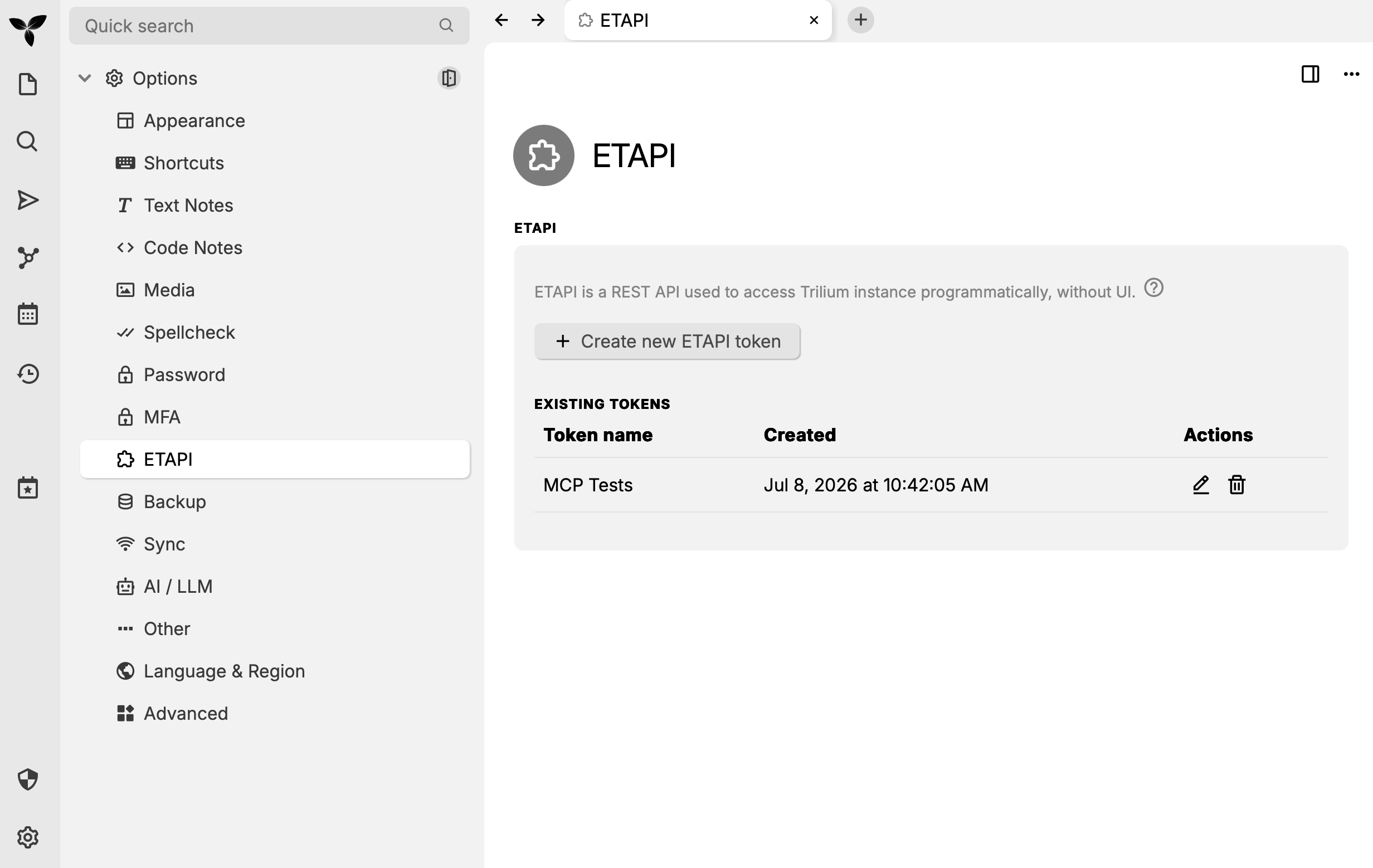
In Trilium, open Options → ETAPI → Create new ETAPI token. This token is the only credential: trilium-mcp stores no secret and forwards the raw token straight to Trilium. Each client presents its own token per request.
2. Add trilium-mcp to your compose file
Add one service to the docker-compose.yaml that runs your Trilium. It pulls the prebuilt image, so there's nothing to clone or build:
services:
  trilium:
    # ... your existing Trilium service ...

  trilium-mcp:
    image: ghcr.io/marceltov/trilium-mcp:latest
    container_name: trilium-mcp
    restart: unless-stopped
    environment:
      # Trilium's service name on this compose network, port 8080.
      TRILIUM_SERVER_URL: http://trilium:8080
    ports:
      - "8081:8081"
Both services share the compose network, so trilium resolves to your Trilium container. Is Trilium in its own compose project? Use the separate compose project example instead.
Start it and check that it's up:
docker compose up -d trilium-mcp
curl http://localhost:8081/health   # -> ok
3. Make it reachable
The MCP endpoint is served on port 8081 at /mcp. How your clients reach it depends on where they run:
Clients on the same network connect directly by IP or hostname, over plain HTTP:
http://192.168.1.50:8081/mcp
The ETAPI token travels in cleartext, so only do this on a network you trust.
For access from anywhere, put trilium-mcp behind a reverse proxy that terminates TLS. With Caddy, which fetches certificates automatically:
trilium-mcp.example.com {
    reverse_proxy trilium-mcp:8081
}
Clients then connect to https://trilium-mcp.example.com/mcp. HTTPS is also required for OAuth. More in Reverse proxy and TLS.
4. Connect your MCP client
On the machine running your client, register the server's address with the token from step 1:
claude mcp add trilium --scope user --transport http \
  https://trilium-mcp.example.com/mcp \
  --header "Authorization: YOUR_TRILIUM_ETAPI_TOKEN"
Your client now has the Trilium tools. Ask it to search your notes to try it out.
Next steps
- Log in with your Trilium password instead of a token. Turn on OAuth for app clients like Claude on desktop, web and mobile; the compose examples show the settings.
- Connect more instances or clients. See Multiple Trilium instances, and Claude Code for scopes and
.mcp.json. - Using Claude Code? Add
trilium-pluginfor ready-made skills on top of these tools. - Lock it down. Read Security, and restrict accepted host names with
MCP_ALLOWED_HOSTS.